


Make Words
4.32.88K Reviews
App Specs
- Version
- 8.2_appod
- Updated On
- License
- Free
- Downloads
- 500,000+
- Developer
- Mobiloids
- Categories
- Word
- Platform
- Android
Screenshots
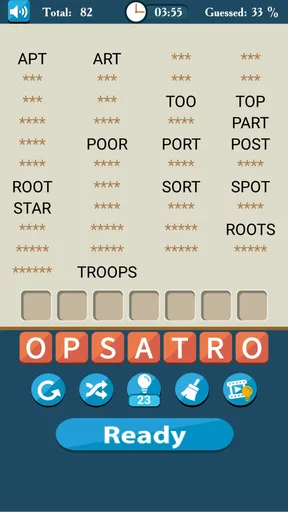
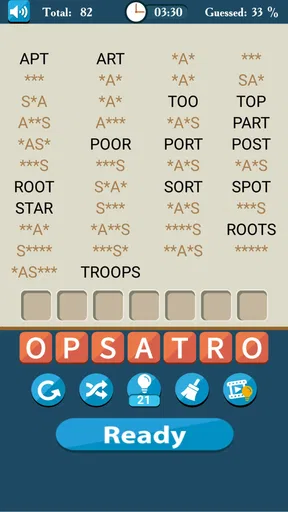
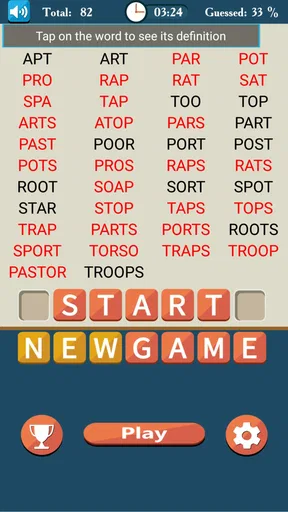
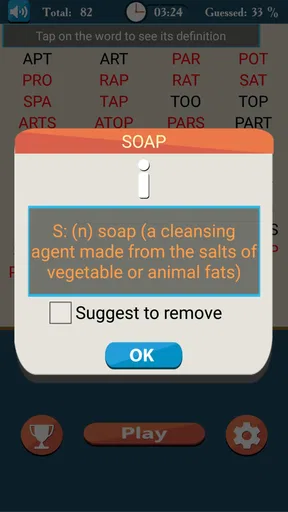
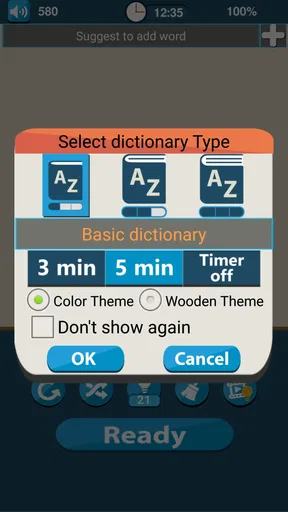
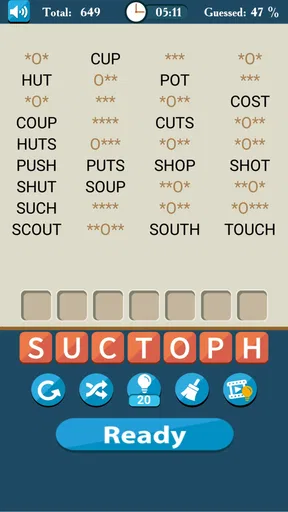
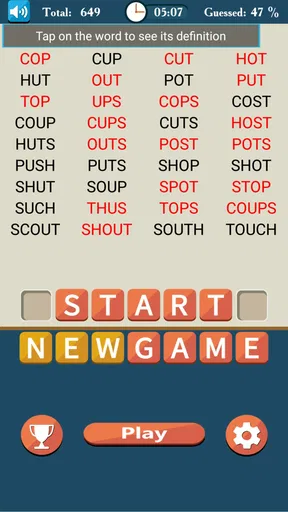
 Analysis by AppCompare
I found Make Words to be a pleasantly focused word game that rewards patience more than frantic speed. Its central idea is simple: you work with mixed letters and try to turn them into valid words. That sounds familiar, but the appeal comes from how easily a short session can become a quiet vocabulary workout. I can open it when I have only a few minutes, solve a handful of puzzles, and leave without feeling that I have started something I must finish immediately.
My overall view is positive, with one important qualification. This is a good choice if you enjoy unscrambling letters, spotting patterns, and gradually becoming better at recognizing word shapes. It is less suitable if you want a story, elaborate visuals, competitive multiplayer, or a constantly changing set of mechanics. Mobiloids keeps the experience centered on words, and that narrow focus is both the game’s biggest strength and its main limitation.
How the word puzzles feel in everyday play
The basic loop is easy to understand. Letters are presented in a mixed arrangement, and I try different combinations until a word appears. The satisfaction is not only in knowing vocabulary; it is also in noticing common endings, familiar prefixes, and the small differences between words that share many letters. A puzzle that looks unpromising at first can become obvious once I stop reading the letters in their displayed order.
That makes the game a useful fit for short breaks. I can play while waiting for an appointment, during a coffee break, or at the end of the day when I want something more active than scrolling but less demanding than a full game. The lack of a complicated setup matters here. I do not need to learn a large rule set before the puzzle becomes enjoyable.
Because the challenge is based on language, the experience changes with the player. Someone who reads widely may move quickly through familiar combinations, while another player may spend longer testing possibilities. I like that the difficulty comes from my own vocabulary as much as from the arrangement of the letters. It gives the game a personal quality: a puzzle can expose a word I recognize only after seeing it, or introduce a less obvious term that makes me think about spelling.
The store summary describes it as a way to make words from letters and improve vocabulary, and that is a fair description without being the whole story. In practice, I would call it a compact word puzzle game with a learning side effect rather than a formal language course. I may become more alert to word patterns, but I would not use it as a replacement for reading, writing practice, or a structured vocabulary program.
A small routine that makes it more rewarding
One habit improved my sessions: instead of immediately trying random combinations, I first look for likely word endings and repeated letter patterns. For example, I mentally separate vowels from consonants, then test whether the available letters suggest a familiar beginning or suffix. This turns each round into a little reasoning exercise rather than a guessing contest.
Worth Reading Before You Choose

EA SPORTS FC Mobile 26 Is a Bigger Football Game, but It Takes Time

Flipboard Shows What News Apps Must Do Beyond the Feed

Switching to Android Auto Means Rethinking Your Driving Routine

Google Calendar Makes a Crowded Week Easier to Manage

Ludo King Makes the Most of the Minutes Between Plans

Baby Panda World Brings Quick Play to Modern Phones, but Its Game Library Feels Busy
I also found it useful to pause before reaching for a hint or abandoning a difficult puzzle. Looking away briefly and returning with a fresh arrangement often helps. The letters have not changed, but my first unproductive assumption has. That is a practical strength of this design: it encourages flexible thinking without requiring a long play session.
Players who want to build vocabulary can keep a simple note of unfamiliar words encountered during play. I would not write down every answer, because that would make the process feel like homework, but recording a few new terms and checking their meanings later gives the game more lasting value. This is especially helpful for learners who already enjoy word lists but need a more active way to revisit them.
What the presentation gets right
Make Words benefits from restraint. A word game does not need a complicated world or a dramatic narrative to work, and the straightforward format lets the letters remain the center of attention. I appreciate that the premise can be understood almost immediately. That makes it approachable for casual players and for people who do not usually spend time with larger mobile games.
The game is also easy to recommend across different ages, with one caveat: its content rating is Teen, so families should check the current store information and their own preferences before handing it to a younger child. For adults and older students who simply want a light language-based challenge, the format is naturally accessible.
Its long availability also helps explain why the concept feels familiar. The game was released on December 25, 2011, and the current version is 8.2_appod. That history suggests a product that has remained recognizable rather than chasing every trend in mobile gaming. I see that as a benefit when I want consistency, although players who expect modern presentation or frequent novelty may find it conservative.
On Android, it requires version 6.0 or later, which makes it available to people using older supported devices as well as newer phones. I would still judge the experience on the particular phone rather than assuming every device will feel identical, especially if the screen is small or touch controls are not comfortable. The game’s simplicity helps, but comfortable letter selection remains important in any title built around precise input.
Where the game starts to feel limited
The narrow concept eventually becomes repetitive. Once I understand the main rhythm, there are no broad strategic layers to distract me from the same essential task: inspect letters, form a word, and continue. That repetition can be calming, but it can also make longer sessions feel less satisfying than the first few rounds.
This is the point where I would choose another option if I wanted a richer experience. A crossword app may suit someone who enjoys clues and intersecting answers. A spelling game with timed rounds may be better for a player who needs urgency. A word-building board game may offer more planning because letter placement matters as much as vocabulary. Make Words is not trying to replace those formats, and I would not recommend it to someone specifically looking for them.
There is also a difference between recognizing a word and learning to use it. Unscrambling can strengthen visual familiarity with spelling, but it does not automatically teach pronunciation, definition, grammar, or context. I would treat the vocabulary benefit as useful practice, not as a complete educational system. If your goal is serious language study, pair it with reading and deliberate review rather than relying on puzzle answers alone.
The free entry is a clear advantage, but in-app purchases range from $0.99 to $15.99 per item. That does not change the basic appeal of trying the game without paying, yet it is worth remembering before using any optional purchase repeatedly. I prefer to decide in advance whether hints or other paid conveniences genuinely improve my experience. For a casual game, small purchases can add up if they become part of every session.
Who will get the most from it
I would recommend this game first to people who enjoy anagrams, spelling challenges, and quiet solo play. It works particularly well for someone who likes the feeling of solving a small problem without committing to a long campaign. It can also suit readers, students, and language enthusiasts who want a playful way to notice familiar word structures.
It is a sensible choice for a daily routine. A realistic example would be a commuter who has ten minutes before arriving at work. Instead of opening a social feed, they can solve a few letter puzzles, stop whenever the train reaches the station, and return later without needing to remember a complicated storyline. The session has a clear beginning and end, which is exactly what I want from a game used in small gaps.
It may also work for households where people enjoy comparing their own vocabulary informally, although I would not mistake that for a built-in competitive mode. The fun comes from discussing difficult words or challenging one another to find possibilities, not from expecting the same social features found in a multiplayer title. That distinction matters if shared play is a major reason for downloading.
On the other hand, I would steer away from it if you quickly lose interest in repeated puzzle structures. Players who need action, character progression, rich sound design, or a strong narrative will probably feel that the game is too modest. People who dislike being tested on spelling may also find the central mechanic more frustrating than relaxing, especially when a puzzle contains a word outside their everyday vocabulary.
Practical expectations before installing
Make Words is free to download, and its popularity is substantial: it has passed 500 thousand installs, with a 4.3 average from around 13 thousand ratings and about 2.9 thousand written reviews. I read those figures as evidence that the straightforward format has found a steady audience, not as proof that every player will enjoy it. Word games are unusually personal because enjoyment depends heavily on vocabulary, patience, and preferred pace.
The developer, Mobiloids, has kept the identity of the game clear. That clarity is helpful when deciding whether it belongs on your phone: you are choosing a focused word title, not a disguised collection of unrelated activities. I would install it when I want a small mental exercise, and I would skip it when I am looking for variety within one app.
Before playing, I would set a personal rule about assistance. If I use hints too early, the puzzle loses much of its value; if I refuse all help, a difficult word can turn a relaxing session into irritation. My preferred compromise is to try several deliberate approaches first, then use assistance only when I have genuinely exhausted the obvious patterns. That keeps the sense of discovery intact.
Another useful approach is to stop after a satisfying solve rather than continuing until the format feels stale. The game’s design is strongest in short or medium sessions. Treating it like an endless marathon exposes its repetition, while treating it as a small daily exercise highlights its accessibility. This is one of the clearest trade-offs I noticed during use.
My final recommendation
Make Words succeeds because it understands its own scale. It offers a direct way to manipulate letters, test vocabulary, and occupy a few spare minutes without demanding a large time investment. I like its calm, uncomplicated identity, and I think the vocabulary angle is most valuable when players actively reflect on unfamiliar answers instead of simply tapping through them.
Its weaknesses are equally clear. The central activity can become repetitive, the learning benefit has limits, and the optional purchase range deserves sensible restraint. Those are not deal-breakers for the right audience, but they do rule it out for anyone seeking a deep or highly varied mobile game.
My verdict is that this is a worthwhile free word game for focused, casual practice. I would recommend it to a friend who enjoys anagrams and wants something easy to pick up, especially for short breaks or a quiet evening. I would suggest a crossword, timed spelling challenge, or more strategic word title to someone who needs clues, competition, or greater variety. If you know which of those experiences you want, the decision is straightforward: choose Make Words for simple letter-solving, and expect it to stay proudly within that lane.
Pros
- Simple word-building gameplay that is easy to learn and play casually.
- Short levels make it convenient for quick sessions on mobile.
- Helps improve spelling
- vocabulary
- and pattern-recognition skills.
- Progressive challenges provide a satisfying sense of advancement.
- Clean interface keeps the focus on solving each word puzzle.
Cons
- Some puzzles may feel repetitive after extended play sessions.
- Difficulty can vary noticeably between levels.
- Players may need hints when unfamiliar words appear.
- Limited gameplay variety may reduce long-term replay value.
- Ads or in-app purchases may interrupt the experience for some users.
FAQs for Make Words
What is Make Words, and how does the game work?
Make Words is a word puzzle game focused on forming words from a selection of letters. After starting a level, you arrange or connect the available letters to discover valid words and complete the objective. The game is easy to understand, but later stages usually require a broader vocabulary, careful observation, and strategic use of the available letters. It is suitable for short sessions or longer relaxing play.
Is Make Words free to download and play?
Make Words can generally be downloaded and played without an upfront purchase, although the exact pricing model may depend on the Android or iOS version available in your region. Free versions may include advertising, optional hints, or in-app purchases. Before downloading, check the store listing for current details about ads, paid items, subscriptions, and whether any features require payment.
Does Make Words work offline?
Many of the core word puzzles in Make Words can be played without a continuous internet connection, which makes the game convenient for travel, commuting, or areas with limited service. However, an internet connection may still be needed for advertisements, store features, updates, cloud synchronization, or certain bonus content. Offline availability can vary by version, so test the main levels after installation.
Is Make Words appropriate for children and English learners?
Make Words may be useful for children, students, and English learners because it encourages spelling practice, vocabulary recognition, and concentration. Nevertheless, the difficulty and word list can vary, and some answers may be unfamiliar or region-specific. Younger players may also encounter advertisements or optional purchases. Parents should review the store rating, privacy information, and device settings before allowing independent use.
What should I know about hints, advertisements, and in-app purchases?
The game may use advertisements to support free play and may offer hints or other assistance when a level becomes difficult. Depending on the version, hints can be earned through gameplay, obtained by watching an advertisement, or purchased with in-game currency. If you prefer uninterrupted play, review the available purchase options and enable parental controls to prevent accidental transactions.


